NETWORK · LIVE
PAIDAssorted high-end jewelry · 12,822 units · $98,552 settled
SOLDBranded phone cases & accessories · 83,441 units · $84,320
PAIDMobile accessories lot · 26,465 units · $91,540 settled
SOLDUnclaimed furniture · 24 truckloads · $77,600
PAIDFashion jewelry lot · 18,000 units · $82,149 settled
SOLDMen's sneakers (overstock) · 8,350 units · $64,295
PAIDLaptop bags & backpacks · 16,475 units · $53,400 settled
SOLDBranded shelf-pull shoes · 6,846 units · $51,892
PAIDRefurbished office printers · 3,000 units · $58,500 settled
SOLDContemporary furniture load · 403 units · $40,000
PAIDAssorted high-end jewelry · 12,822 units · $98,552 settled
SOLDBranded phone cases & accessories · 83,441 units · $84,320
PAIDMobile accessories lot · 26,465 units · $91,540 settled
SOLDUnclaimed furniture · 24 truckloads · $77,600
PAIDFashion jewelry lot · 18,000 units · $82,149 settled
SOLDMen's sneakers (overstock) · 8,350 units · $64,295
PAIDLaptop bags & backpacks · 16,475 units · $53,400 settled
SOLDBranded shelf-pull shoes · 6,846 units · $51,892
PAIDRefurbished office printers · 3,000 units · $58,500 settled
SOLDContemporary furniture load · 403 units · $40,000
Sales tracking

Track every sale
in real time.

The moment your goods are approved, you get a vendor account on ViaTrading.com — log in anytime to watch what's selling, what you're owed, and what's been paid.

What you see

Everything in one dashboard

An overview of your account, your sales, and your payments — updated as your lot sells.

Real-time dashboard

Sales by SKU, total sales across all SKUs, and a sales-volume graph for any timeframe you choose.

My Products

Every product, its SKU, the date it was added, and the agreed commission structure.

View My Sales

Sales to date per item — quantity sold, what it sold for, and your net after commission.

Itemized reports

Every sale: purchase & ship dates, invoice, selling method, price, commission, amount owed, and payment status.

Email alerts

An automated email each time an item sells and ships — and when a payment posts to your account.

Your own login

A vendor account is set up on ViaTrading.com the moment your goods are approved for the program.

Getting to your reports

How to find your reports

Once your products are approved for the LiquidateNow program, we set up an account for you on ViaTrading.com. Log in anytime to track your listed products, your liquidation sales, and your payment reports.
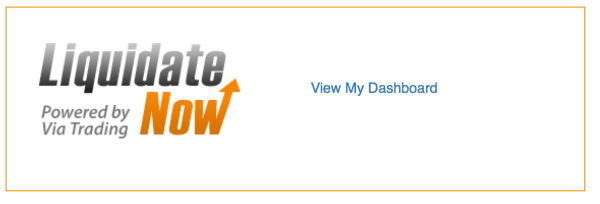
Open your dashboard
1

Open your dashboard

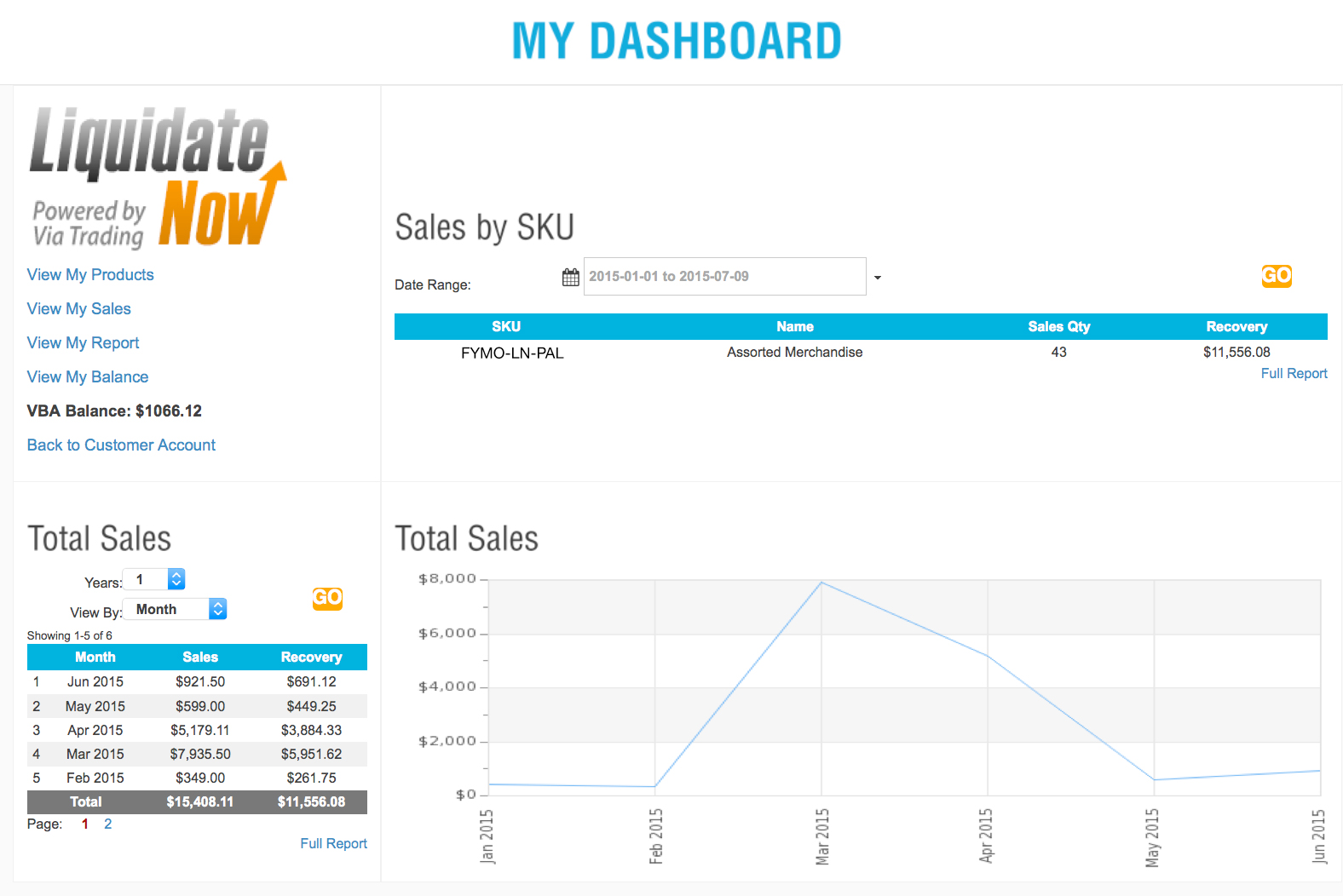
Once logged in, you will see the "LiquidateNow" section on the top right of the page. Click "View my Dashboard" to enter your vendor dashboard and see your reports.

Start with the overview
2

Start with the overview

The dashboard opens with a "Sales by SKU" table, a "Total Sales" across all SKUs table, and a graph of your sales volume over a time frame you choose.

Open a specific report
3

Open a specific report

Use the links on the left of the dashboard to jump into any of the detailed reports below.

The reports you can open

From the links on the left of your dashboard.
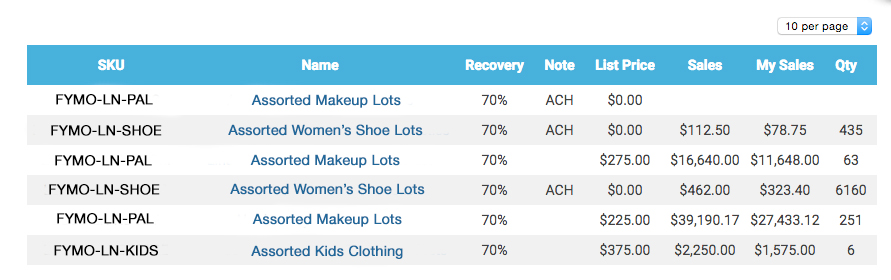
My Products

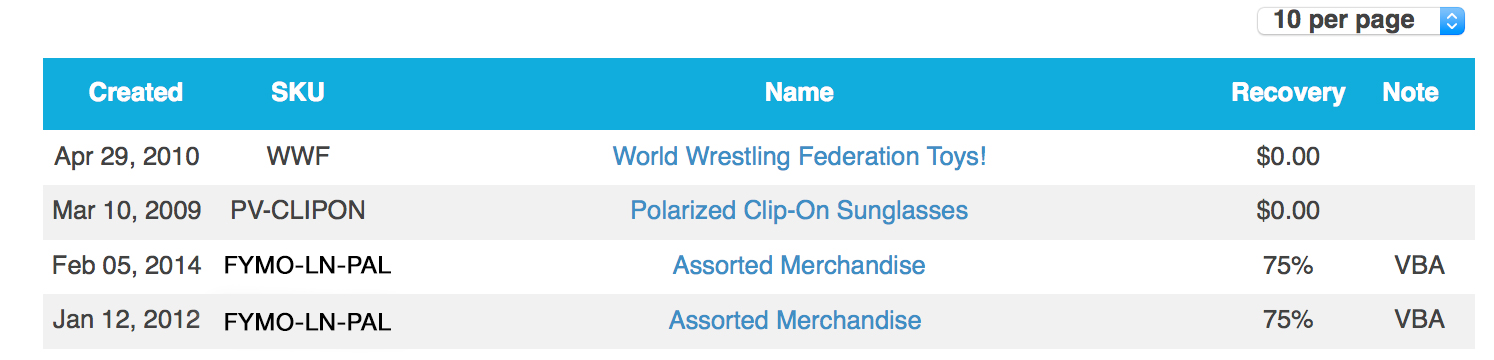
The date each product was added to our database, its SKU, the product name, and the agreed commission structure (a percentage or a fixed dollar amount).

My Products report

View My Sales

Sales of each of your items to date, the commission structure for each, the total quantity sold, the amount they sold for, and what that translates to in liquidation dollars after our commission. You also get an automated email each time an item sells and ships, and when a payment is posted to your account.

View My Sales report

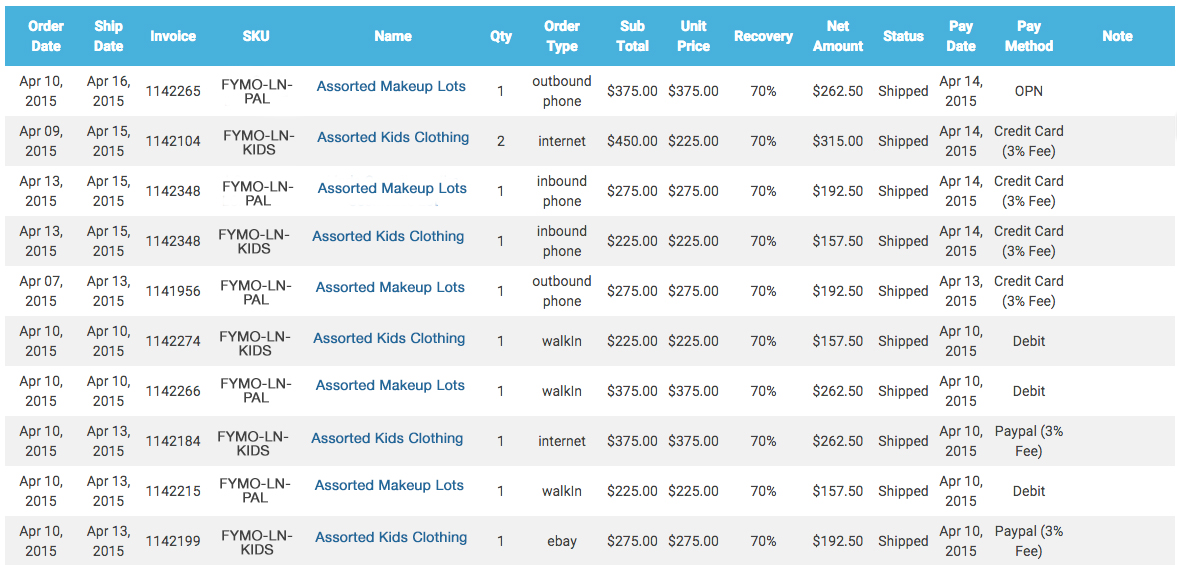
View My Report

An itemized report of every individual sale: the purchase and ship dates, invoice numbers, products and quantity sold, the selling method, the unit and total price paid, the agreed commission, the amount owed to you, and your payment status.

View My Report report

Always know where your money is.

Get a free proposal and you'll get full visibility into every sale from day one — $0 upfront.

Get my free proposal